Understanding Event Phases in JavaScript

Have you ever clicked a button on a webpage and wondered what actually happens behind the scenes?
Most developer think :
"I clicked a button -> the button's event runs"
but that's only a small part of the story
In reality, when you click an element the browser does not just trigger that element's event. Instead the event goes on a journey through a DOM passing through multiple element before and after reaching the target.
This journey is called " Event flow (Event Phases)".
And understanding this concept is one of the most important steps toward mastering in js.
Why Should You Care About Event Phases ?
At first, this may feel like an internal browser details something you do not need to worry about.
But the truth if you do not understand event phases you will eventually face bugs like:
Parent click event triggering unexpectedly
Multiple event handlers firing in the wrong order
Difficulty implementing modals, dropdowns, or overlays
Confusion while using event delegation
On the other hand, once you understand this concept:
You can control event behavior precisely
You can write cleaner and scalable code
You can optimize performance using delegation
You can confidently answer interview questions
Understanding the DOM Structure First
Before I explain event phases, I want you to clearly visualize how elements are arranged in a webpage.
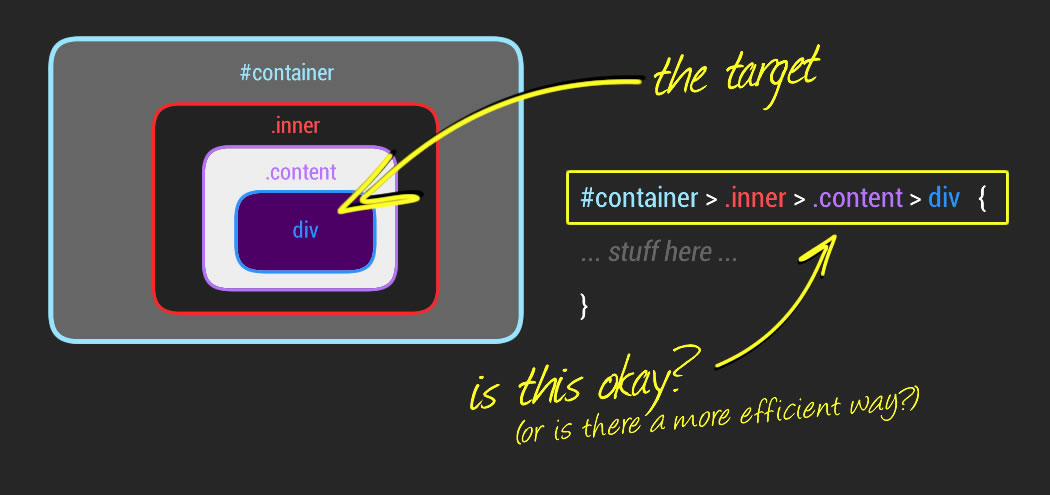
Let’s take a simple example:
<div class="grandparent">
  Grandparent
  <div class="parent">
    Parent
    <button class="child">Click Me</button>
  </div>
</div>
Now, instead of just seeing code, I want you to imagine this structure:
1. At the top, we have the Grandparent
2. Inside it, there is the Parent
3. Inside that, there is the Button (Child)
So the structure looks like:
Grandparent → Parent → Button
This structure is very important because: Every event travels through this path.
What Really Happens on Click
When you click the button, the browser does NOT immediately execute the button’s event.
Instead, it follows a proper system.
Think of it like this:
The browser says:
“Let me pass this event through all related elements step by step.”
And this process is divided into three phases.
Phase 1: Capturing Phase (Top to Bottom)
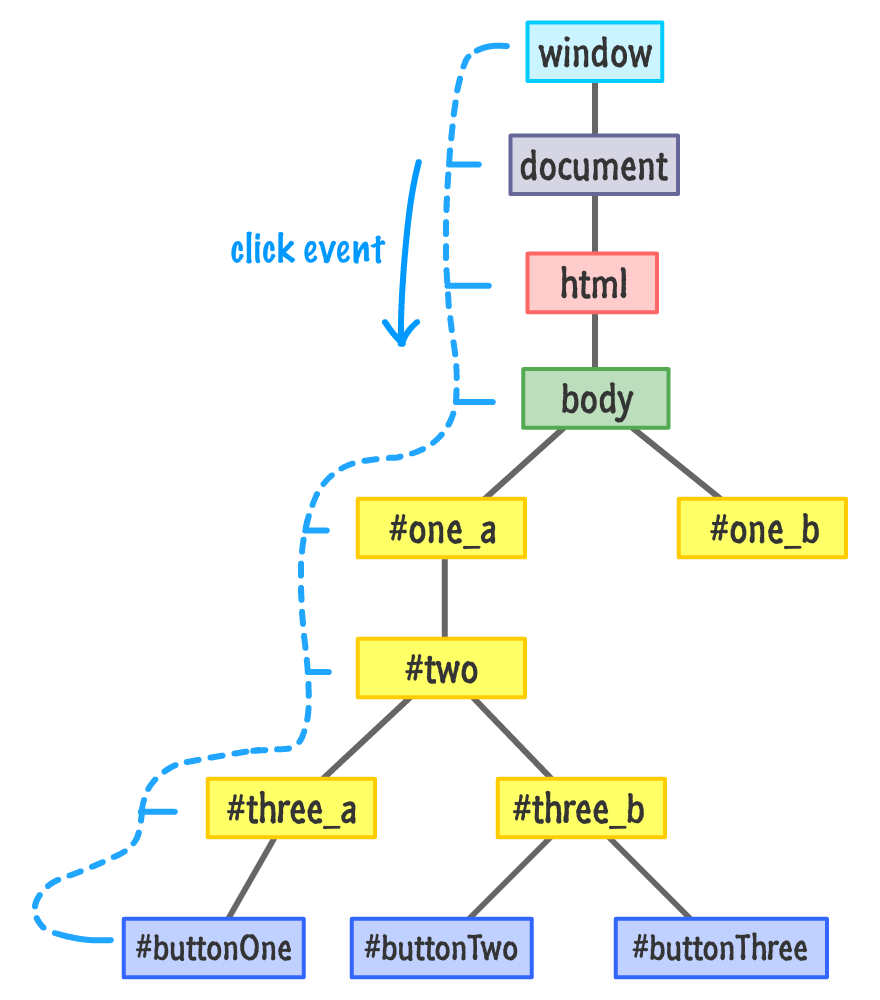
The capturing phase is when the event starts from the top of the DOM and travels downward.
Let’s go step by step.
When you click the button, the event does not start at the button. It actually starts from the top of the DOM. And then it travels downward.
The path looks like this:
document → html → body → grandparent → parent → button
At this stage, the browser is basically doing this: “I’m going to inform every ancestor element that an event is coming.”
This is called the capturing phase.
Important Detail
By default, JavaScript does NOT execute event handlers in the capturing phase. If you want to use it, you must explicitly enable it.
element.addEventListener("click", handler, true);
That true is very important.
It tells JavaScript: “Run this event during the capturing phase.”
When Do We Use Capturing?
In real-world projects, capturing is used less often, but it becomes useful in advanced scenarios like:
1. Detecting clicks outside a modal
2. Global event tracking
3. Special UI behaviors
Phase 2: Target Phase (The Main Moment)
Now the event reaches the actual element you clicked. This element is called the Target.
If you clicked the button, The button becomes the target.
This is the moment where the main action happens.
button.addEventListener("click", () => { console.log("Button clicked"); });
This is what we usually write.
And this runs during the target phase.
Important Point
At the target phase:
Both capturing and bubbling listeners can execute
This is the most commonly used phase in development
Phase 3: Bubbling Phase (Bottom to Top)
Now comes the most interesting part.
After reaching the target, the event does NOT stop.
The path becomes:
button → parent → grandparent → body → html → document
At this stage, the browser is doing this:
“Hey parents, something just happened!”
This is called the bubbling phase.
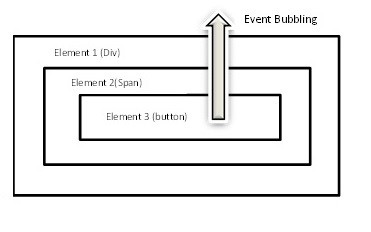
Important Points:
This is the default behavior in JavaScript
Most developers use this phase without realizing it
It enables powerful patterns like event delegation
parent.addEventListener("click", () => { console.log("Parent clicked"); });
Even if you click the button, this will still run. Because the event bubbles up to the parent.
the complete flow. When you click the button, the actual order is:
<!DOCTYPE html>
<html>
<head>
  <title>Event Phases</title>
  <link rel="stylesheet" href="style.css">
</head>
<body>

<h1>Event Phases Demo</h1>

<div class="grandparent">
  Grandparent
  <div class="parent">
    Parent
    <button class="child">Click Me</button>
  </div>
</div>

<ul id="log"></ul>

<script src="script.js"></script>
</body>
</html>
body {
  text-align: center;
  font-family: Arial;
}

.grandparent {
  background: #ff6b6b;
  padding: 30px;
}

.parent {
  background: #4ecdc4;
  padding: 30px;
}

.child {
  background: #ffe66d;
  padding: 10px;
  cursor: pointer;
}

li {
  list-style: none;
  background: white;
  margin: 5px;
  padding: 10px;
}
const log = document.getElementById("log");

function addLog(msg) {
  const li = document.createElement("li");
  li.textContent = msg;
  log.appendChild(li);
}

const grandparent = document.querySelector(".grandparent");
const parent = document.querySelector(".parent");
const child = document.querySelector(".child");

// Capturing
grandparent.addEventListener("click", () => {
  addLog("Grandparent - Capturing");
}, true);

parent.addEventListener("click", () => {
  addLog("Parent - Capturing");
}, true);

// Target
child.addEventListener("click", () => {
  addLog("Button - Target");
});

// Bubbling
parent.addEventListener("click", () => {
  addLog("Parent - Bubbling");
});

grandparent.addEventListener("click", () => {
  addLog("Grandparent - Bubbling");
});
1. Grandparent (Capturing)
2. Parent (Capturing)
3. Button (Target)
4. Parent (Bubbling)
5. Grandparent (Bubbling)
Now you are not just reading — you are experiencing the event flow.
“In JavaScript, an event doesn’t just happen…
it travels, interacts, and tells a story through the DOM.”

